
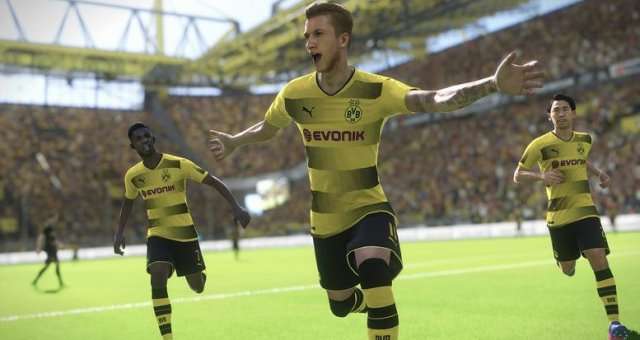
If the game PES 2018 is not smooth, even when the frame rate is above 60, here is a solution. The game’s built-in vertical synchronization feature does not work well with high frame rates. To fix this, you must enable adaptive vertical synchronization in the NVIDIA Control Panel.
Nvidia
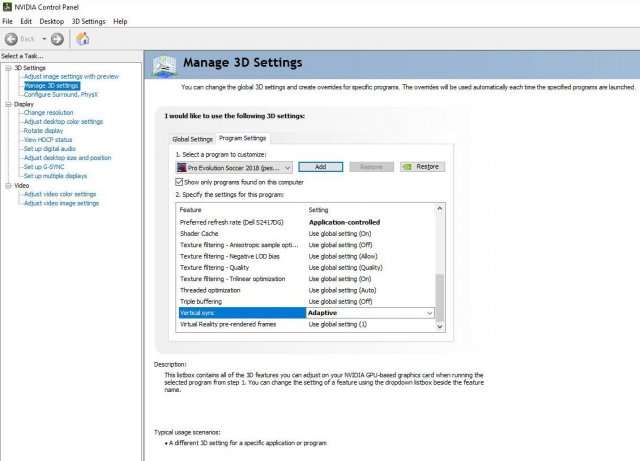
- Acces “Manage 3D Settings” via the NVIDIA Control Panel.
- Program Settings.
- Add Pro Evolution Soccer 2018 (pes2018.exe).
- Change vsync to adaptive.
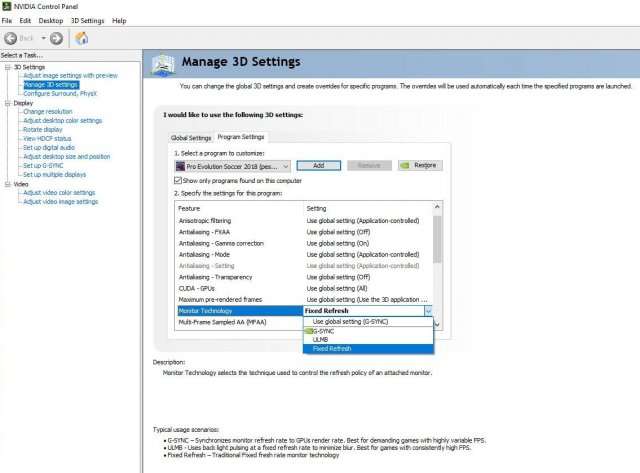
Nvidia GSYNC
- GSYNC users will have to disable Gsync first and then choose the adaptive vsync option.
AMD
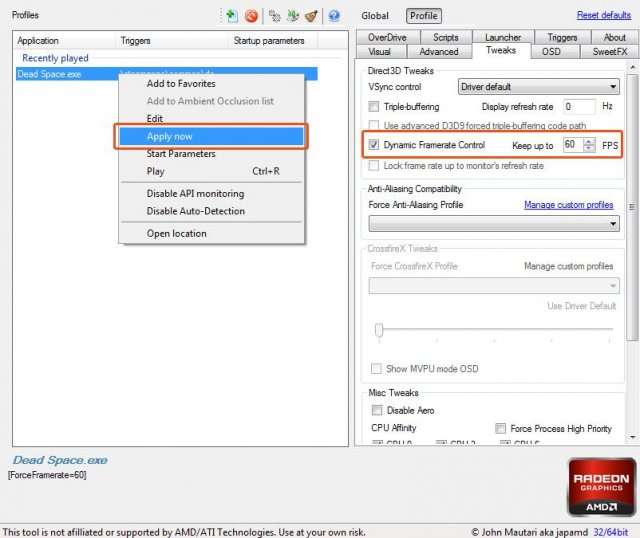
- AMD users will not have a Adaptive Vsync option, but Radeon Pro has Dynamic V-sync Control.
- You can download Radeon Pro here.
- Simply select “Dynamic” from the v-sync drop down menu and set the FPS to match you’re.
- Refreshrate (60/144/165/240) (see image below).
Be the first to comment