

How to Fix the “Red Problem” on Intel iGPUs
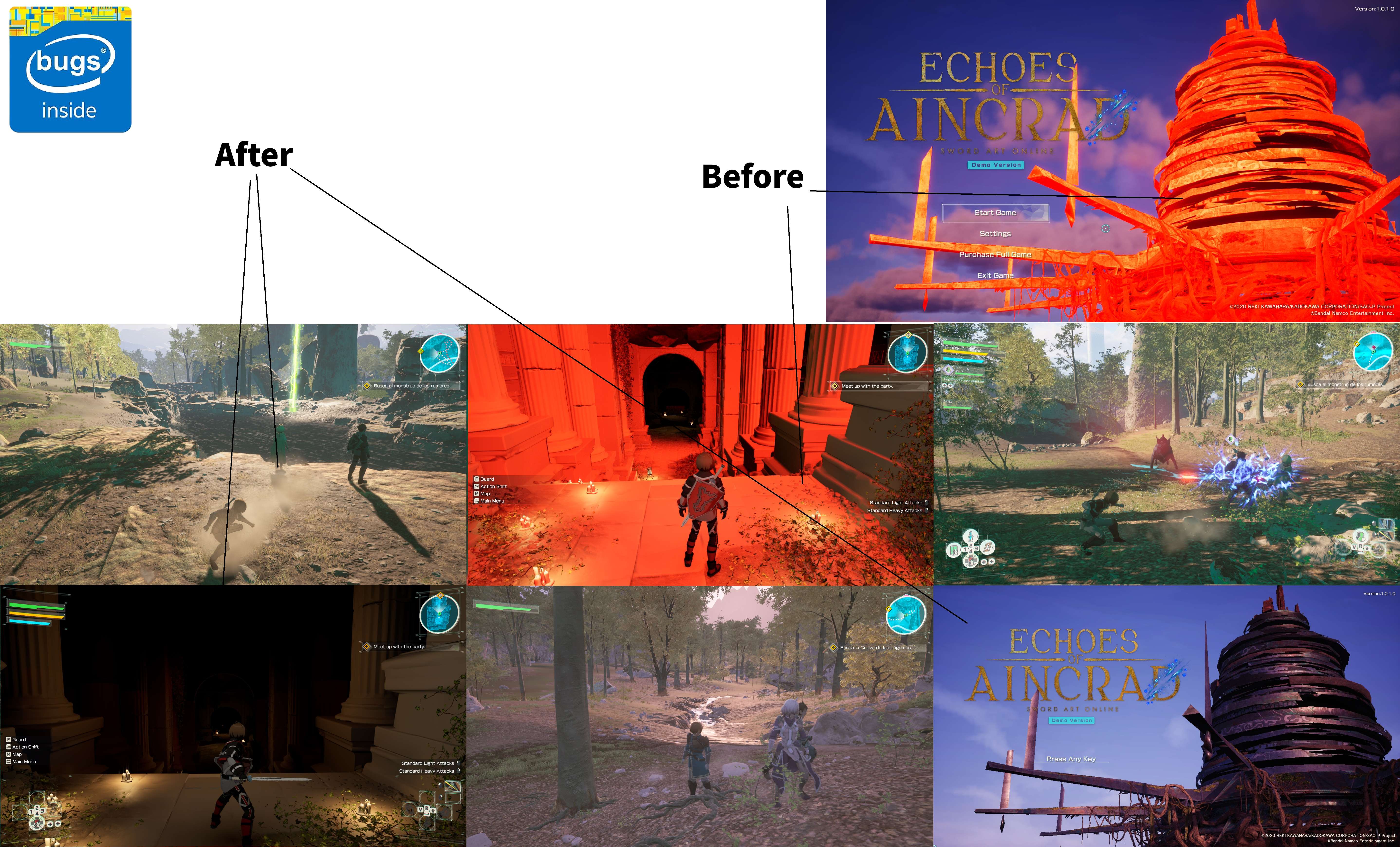
Some players using Intel integrated graphics (iGPU) may encounter a rendering issue where large parts of the game appear bright red.
Why Does Everything Turn Red?
Echoes of Aincrad is designed with dedicated GPUs (dGPUs) in mind. On some Intel integrated GPUs, Volumetric Clouds fail to render correctly, causing Unreal Engine to display affected objects in red as an error indicator.
How to Fix It
- Close the game.
- Press Windows + R.
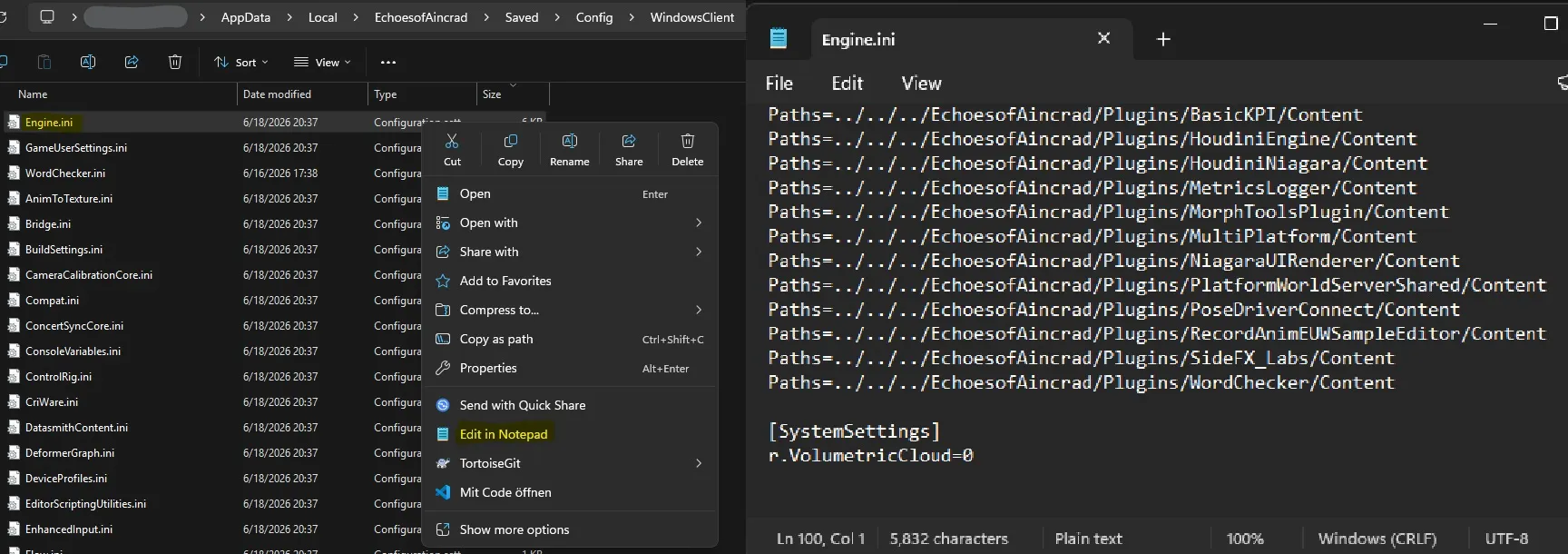
- Open the following folder:
%LocalAppData%\EchoesofAincrad\Saved\Config\WindowsClient
- Open Engine.ini with a text editor.
- Add the following lines at the end of the file:
[SystemSettings]
r.VolumetricCloud=0
- Save the file and launch the game.
This disables Volumetric Clouds, which resolves the red rendering issue on affected Intel integrated GPUs.
Known Issue
- A single rock may still appear red. This is a known visual issue and does not affect gameplay.
Important Notes
- This is an unofficial workaround and may stop working after future game updates.
- Compatibility with Intel integrated graphics may change in future versions of the game.
- It is recommended to back up your Engine.ini before making any modifications.



Be the first to comment