

Weather Aniimo Guide
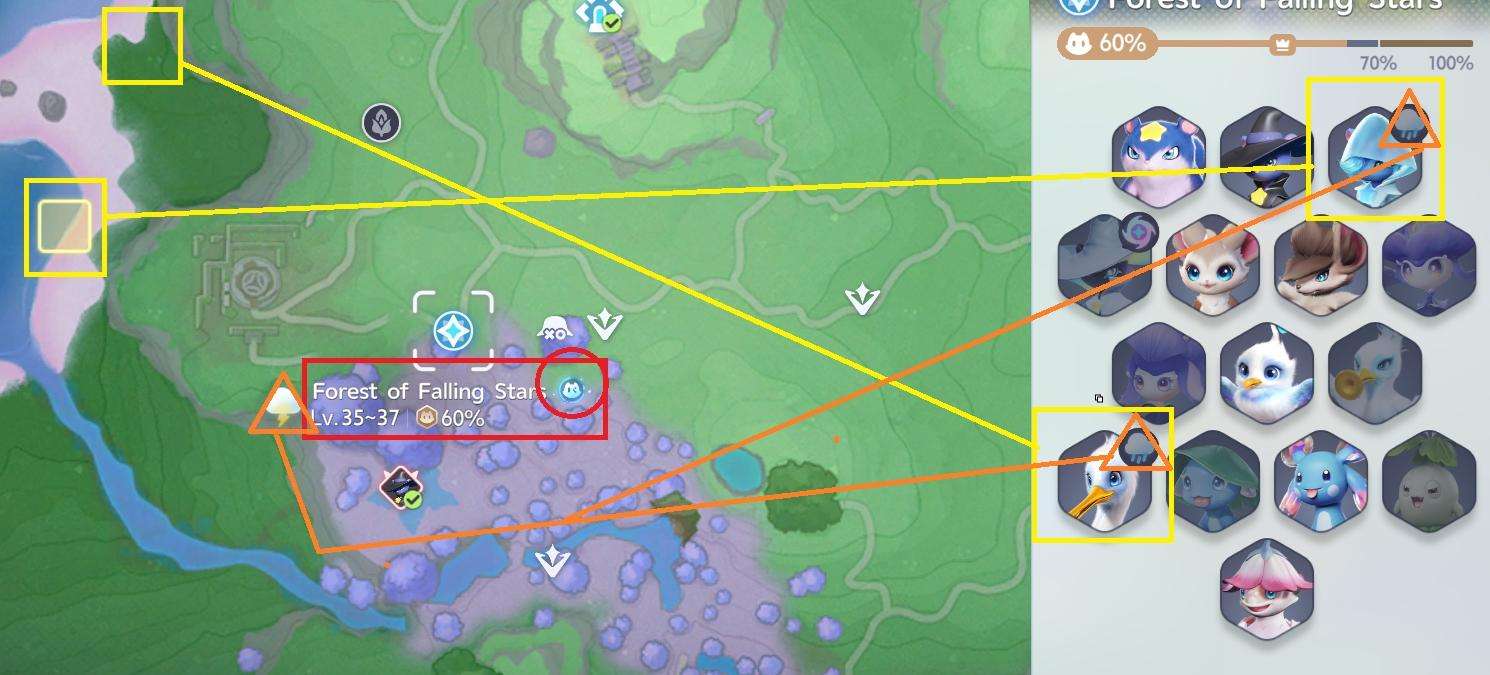
When a blue weather icon appears on the map, a Weather Aniimo is currently available in that area.
To identify the Aniimo and find where to catch it:
- Open the Aniimo display area on the map.
- Look for the Aniimo with the blue weather icon.
- Select that Aniimo.
- Check its Habitat information.
- The Habitat information will show where you can go to find and catch it.
If you are looking for a specific Weather Aniimo, check the Aniimo display first instead of searching the entire map. The blue weather icon indicates that one is currently active in that area.
Rain Stellarys
Blooming in the area can also provide Rain Stellarys, but this does not happen every time. The source reports that Rain Stellarys occurred more often than not while farming the Bloom.



Be the first to comment