

Storage Box System Guide
The Storage Box system allows you to organize all the Aniimo you have acquired. You can lock individual boxes to exclude them from sorting and select multiple Aniimo to release or move.
Sorting Aniimo
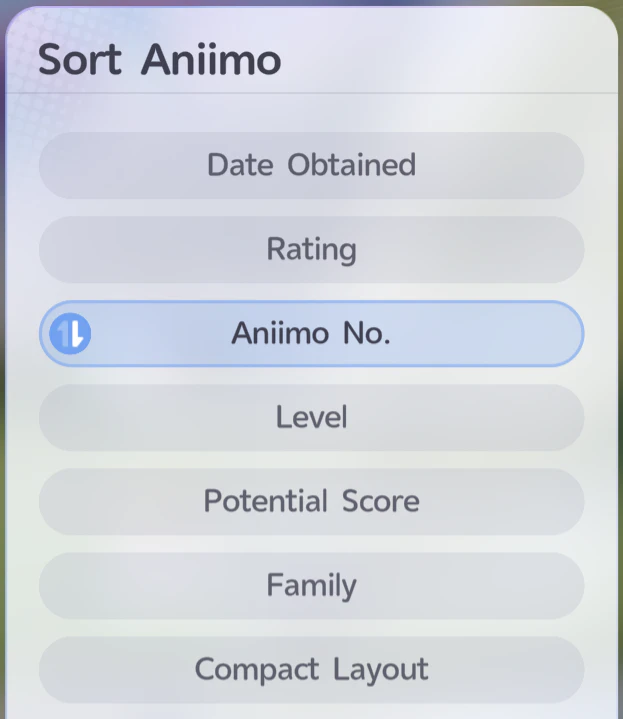
The Sorting button sorts Aniimo across all non-locked Storage Boxes.
- Click the Sorting button.
- Select the type of sorting you prefer.
- Use the blue icon with two arrows on the left side to change the sorting order.
By default, Aniimo are sorted from highest/newest to lowest/oldest.
If you want to keep a “Living Aniilog”, click Aniimo No. twice. This sorts the Aniimo from first to latest.
Filtering and Searching
The Filter/Sort button allows you to search for Aniimo among all of your Aniimo without moving them between Storage Boxes.
Locking Storage Boxes
The Lock button locks or unlocks the currently selected Storage Box.
Locked boxes are exempt from sorting. This makes them useful for keeping specific Aniimo separate while still allowing the rest of your collection to be sorted.
For example, you can dedicate boxes to:
- Aniimo assigned to your various teams
- Sparklings
- Umbrals
- Prismana
- Alphas
Managing Multiple Aniimo
The Manage button allows you to select Aniimo individually or select all Aniimo on the current page.
This makes it possible to:
- Select multiple Aniimo for simultaneous release
- Select multiple Aniimo to move to another Storage Box
When moving multiple Aniimo, the destination box must have enough space to hold all of the selected Aniimo.
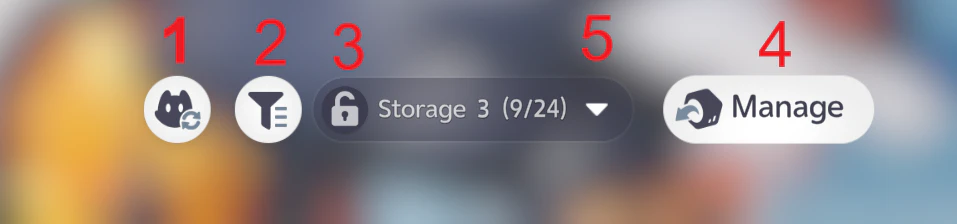
Use the arrow button to quickly navigate between Storage Boxes or select boxes as Favorites.
Marking Aniimo
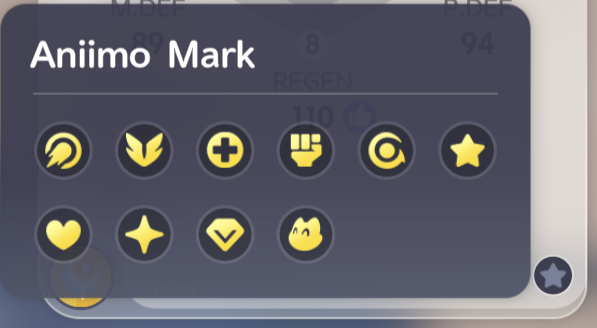
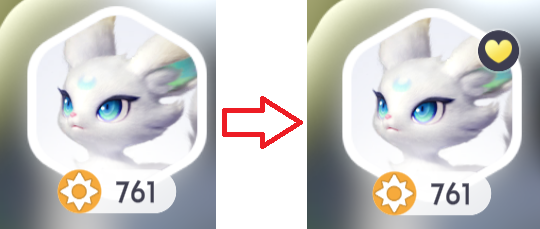
The game also allows you to mark Aniimo so they are easier to spot in your Storage Boxes.
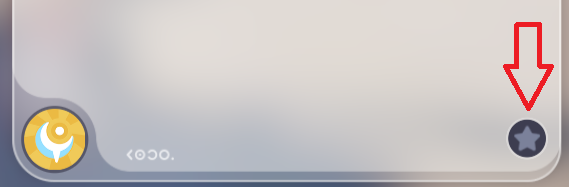
After selecting an Aniimo, look for the grey Star icon at the bottom-right of the Aniimo panel. This opens a menu with various icons that you can assign to that Aniimo.



Be the first to comment