
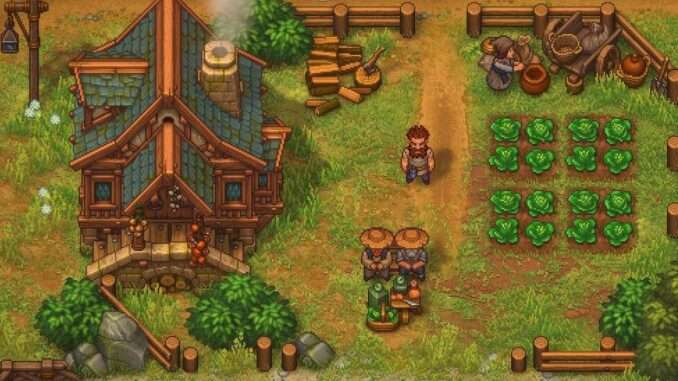
Village Quest Delivery
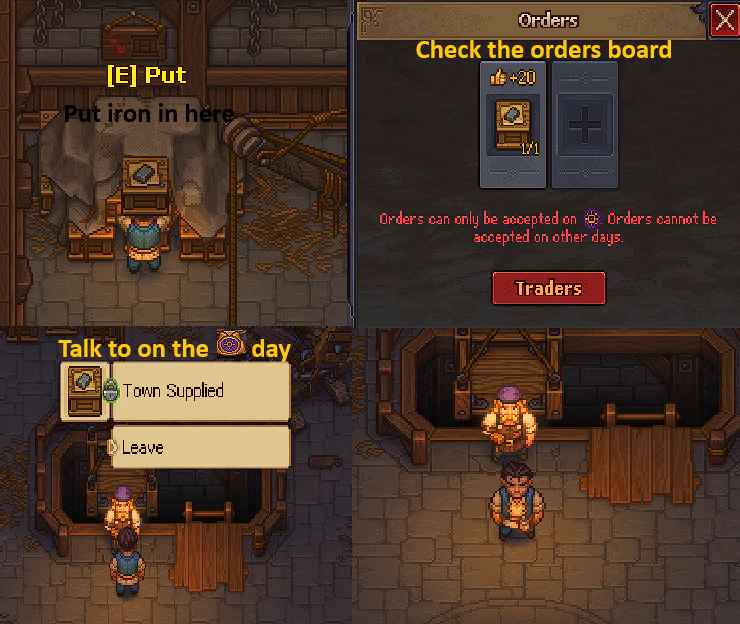
- Talk to Jack to start the quest.
- Make Supply: Iron at the Woodworking Workbench.
- Take Supply: Iron to the boxes behind the crane before Sun day.
- Check the Orders Board to confirm that the delivery has been completed.
- Wait until Sun day.
- Talk to Jack.
- Go to the Orders Board to receive the additional reward.
Delivery Timing
Make sure to deliver Supply: Iron before Sun day. If you drop off the items on Sun day, you will have to wait one week before continuing the quest.
Instant Porter Delivery and Pickup Setup
You can exploit the porter AI to make porters instantly pick up and deliver items without spending time walking between stations.
How It Works
Enclose the supply porters so they have no space to leave their assigned area. The porters will still perform their normal job, but the items are transported instantly instead of requiring the porters to walk back and forth between the relevant stations.
The chests placed in the work area do not need to contain the items being transported. Porters can pick up items from any chests located within their work area.
This setup reportedly works in any area where you can place supply porters.
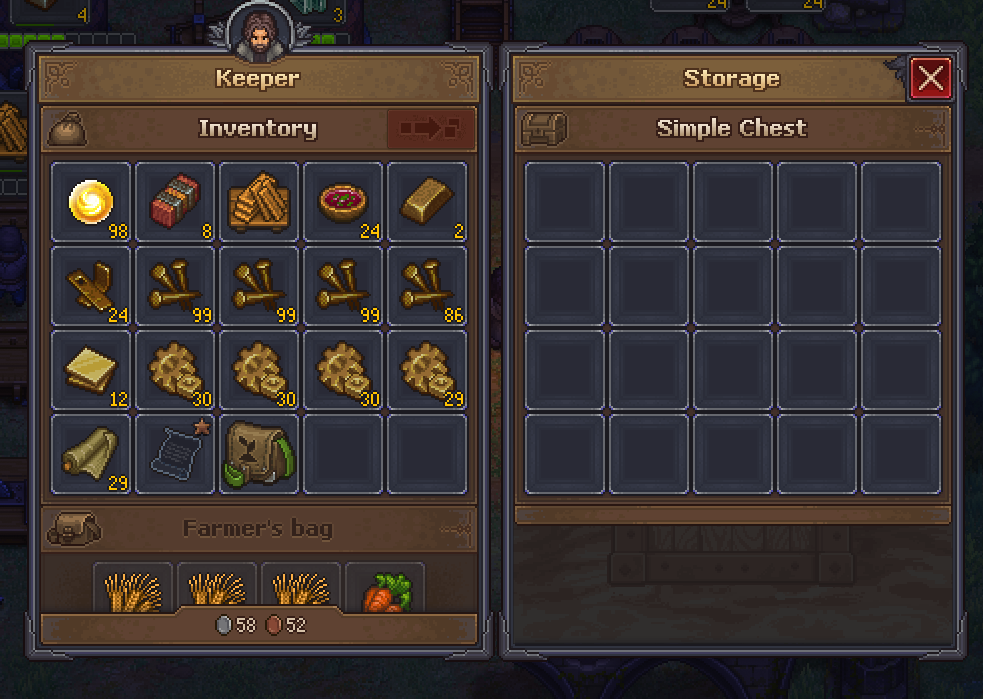
How to Make Zombies Mine Stone and Marble
Before starting, complete Steps 1 through 4 of the linked setup.
Mining Setup
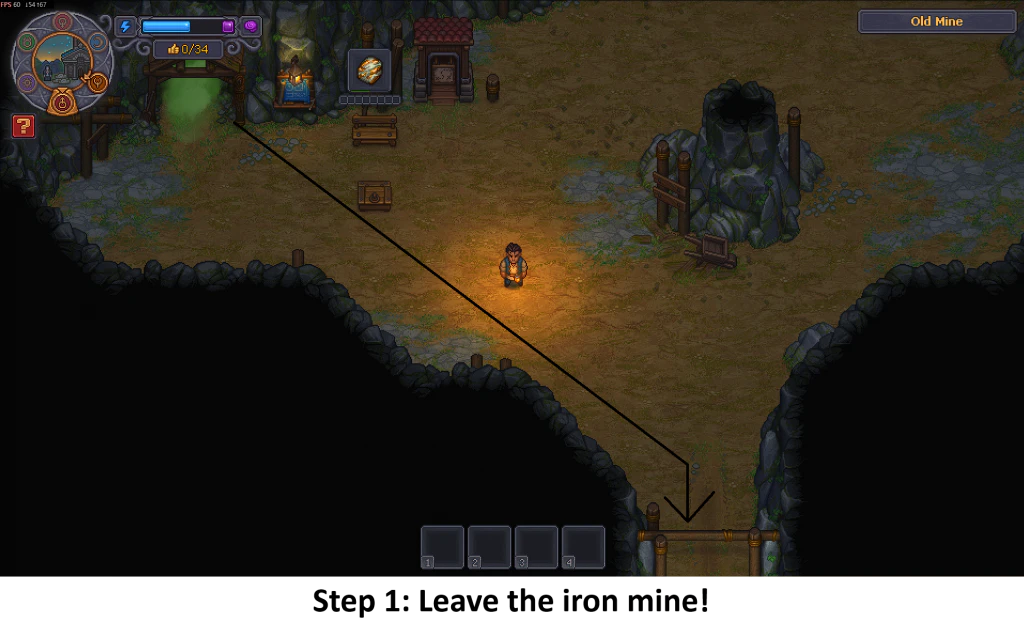
- Leave the Iron Mine.
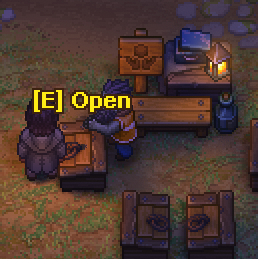
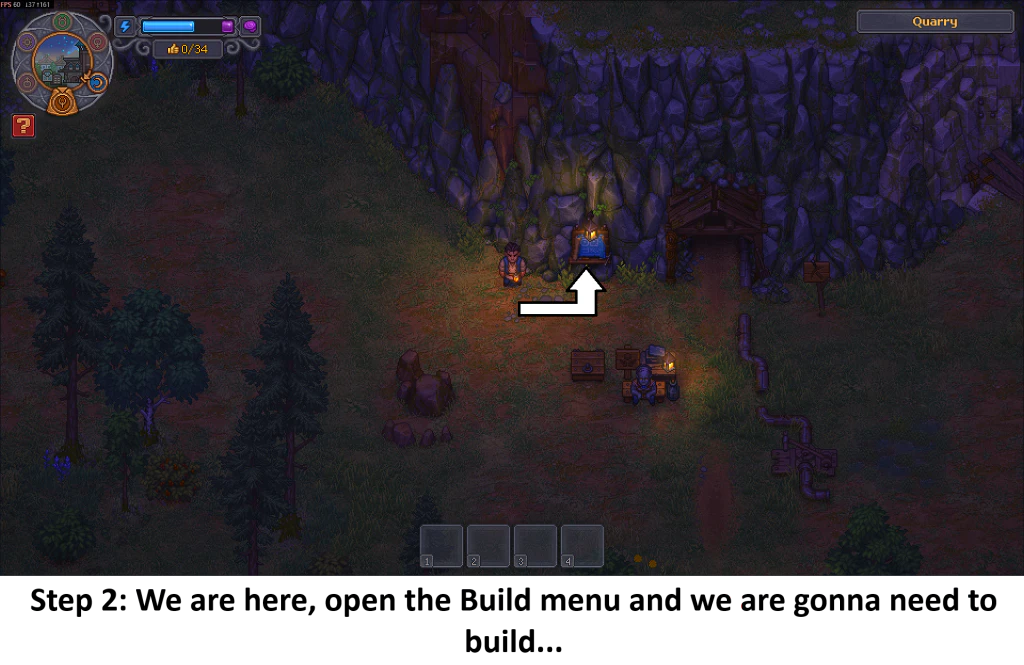
- At the designated location, open the build menu.
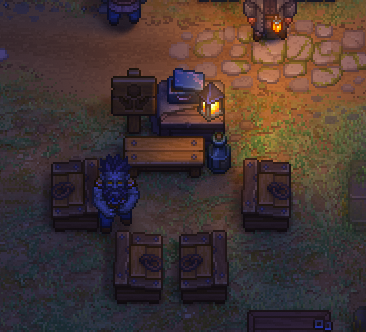
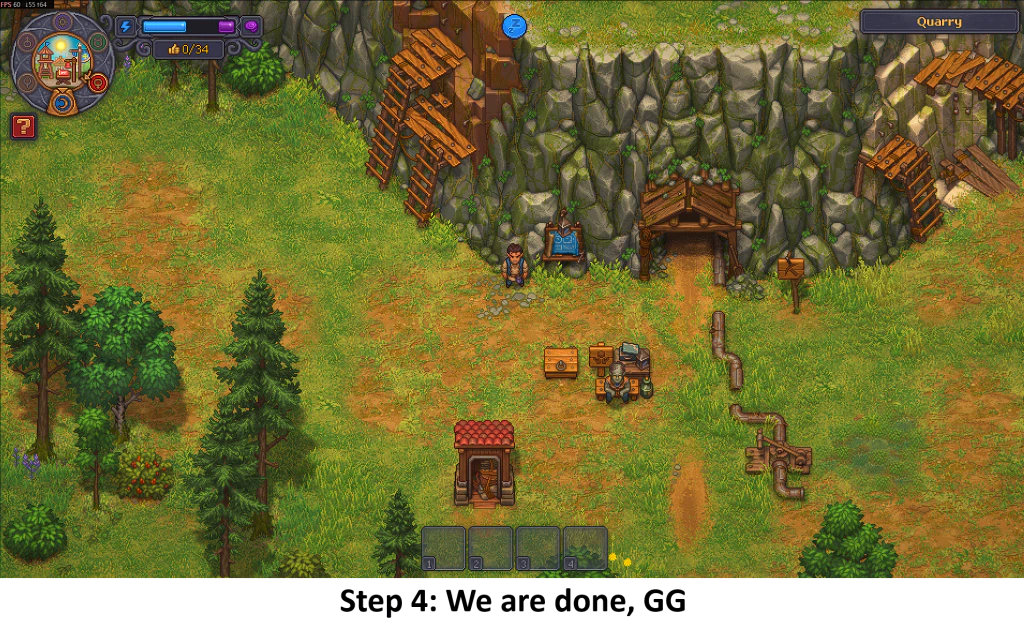
- Build all of the structures shown in Picture 3.
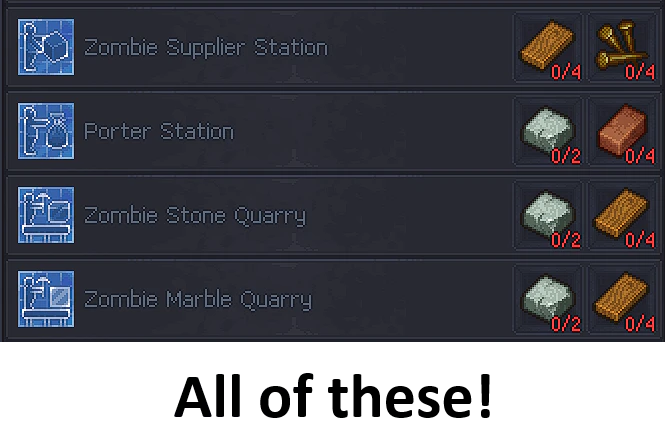
- The setup is complete. Step 3 is omitted because Veronica ate it.
How to Change a Zombie’s Collar
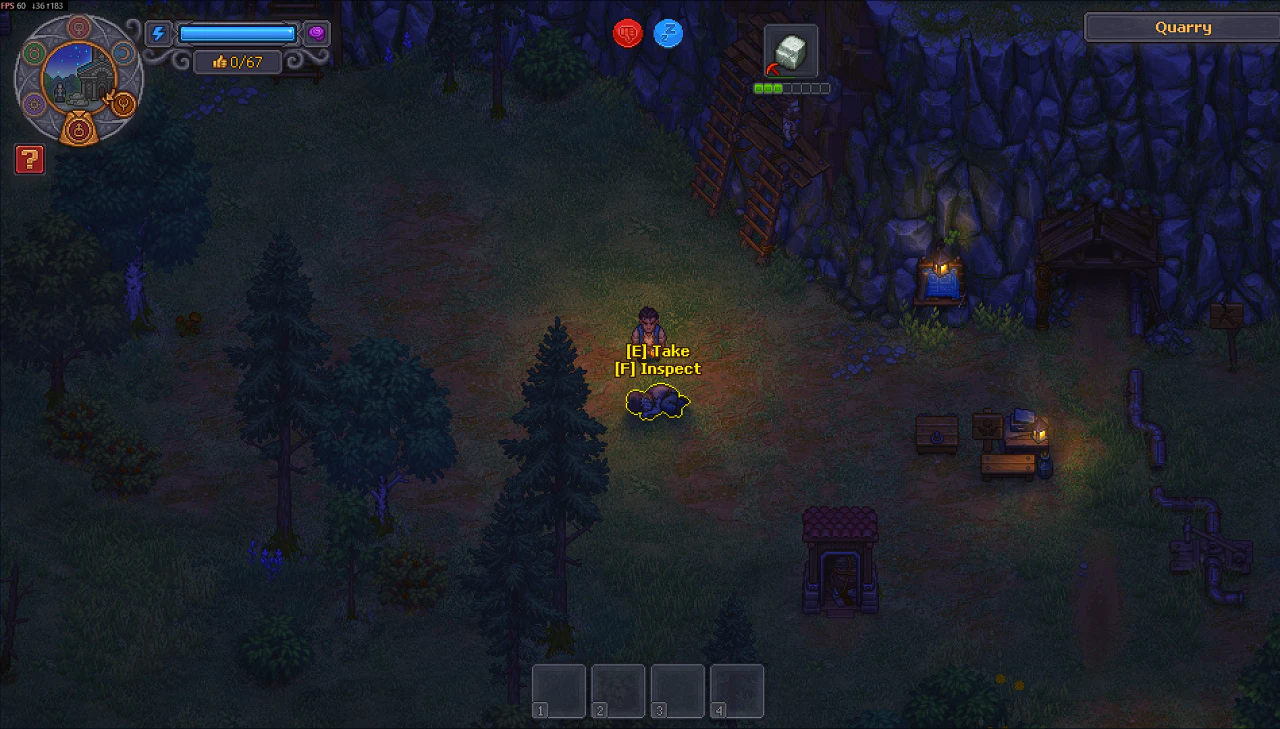
- Approach the zombie you want to give a new collar to while it is on the ground.
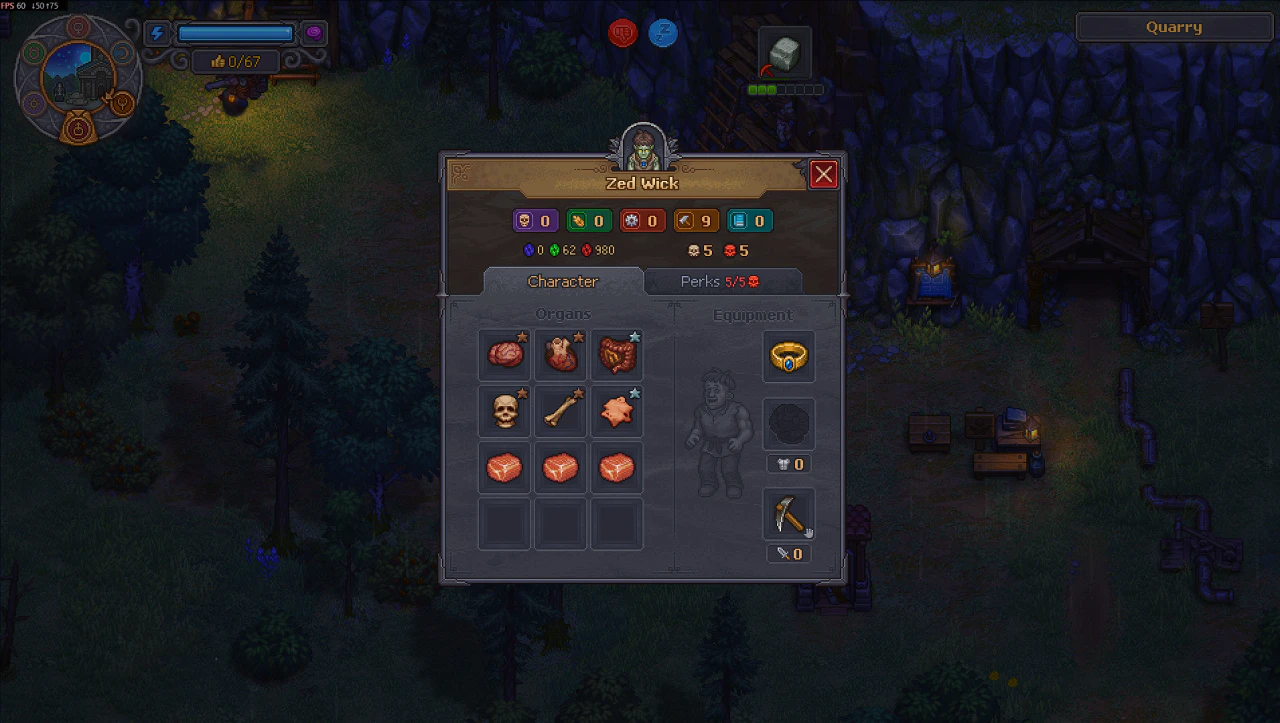
- Inspect the zombie by pressing
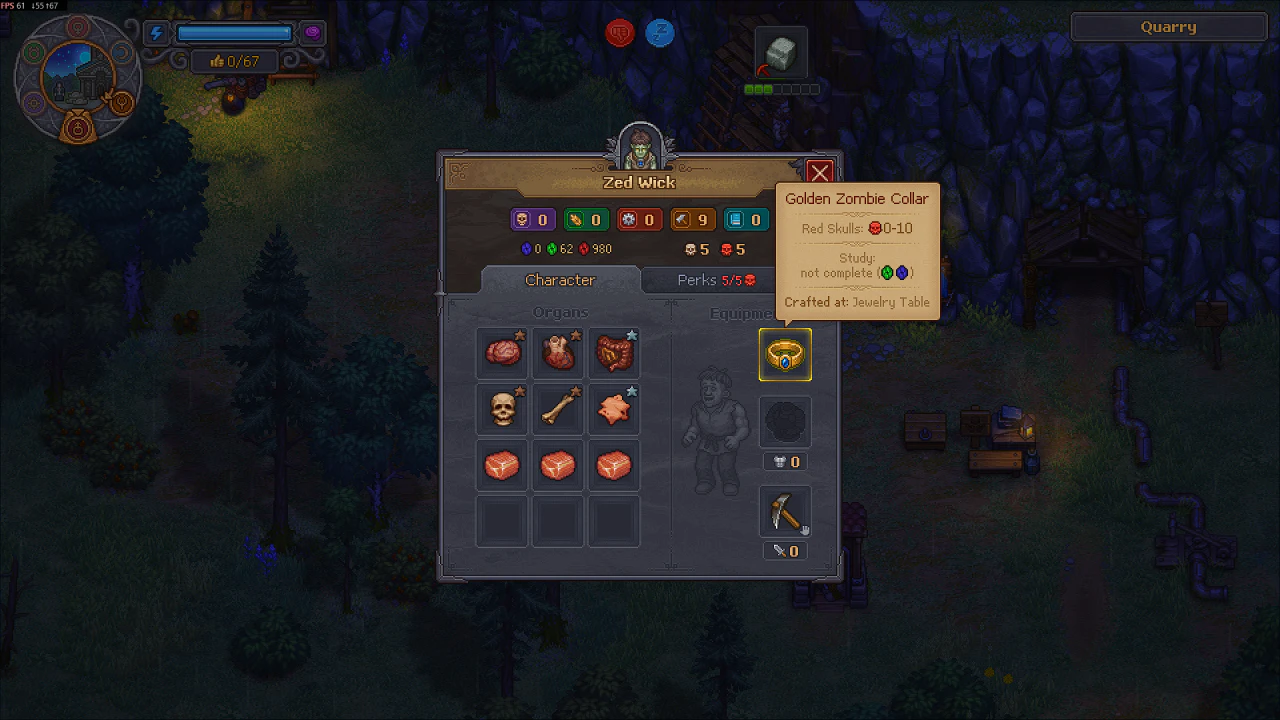
F. - Click the current collar.
- Select the new collar you want to equip.
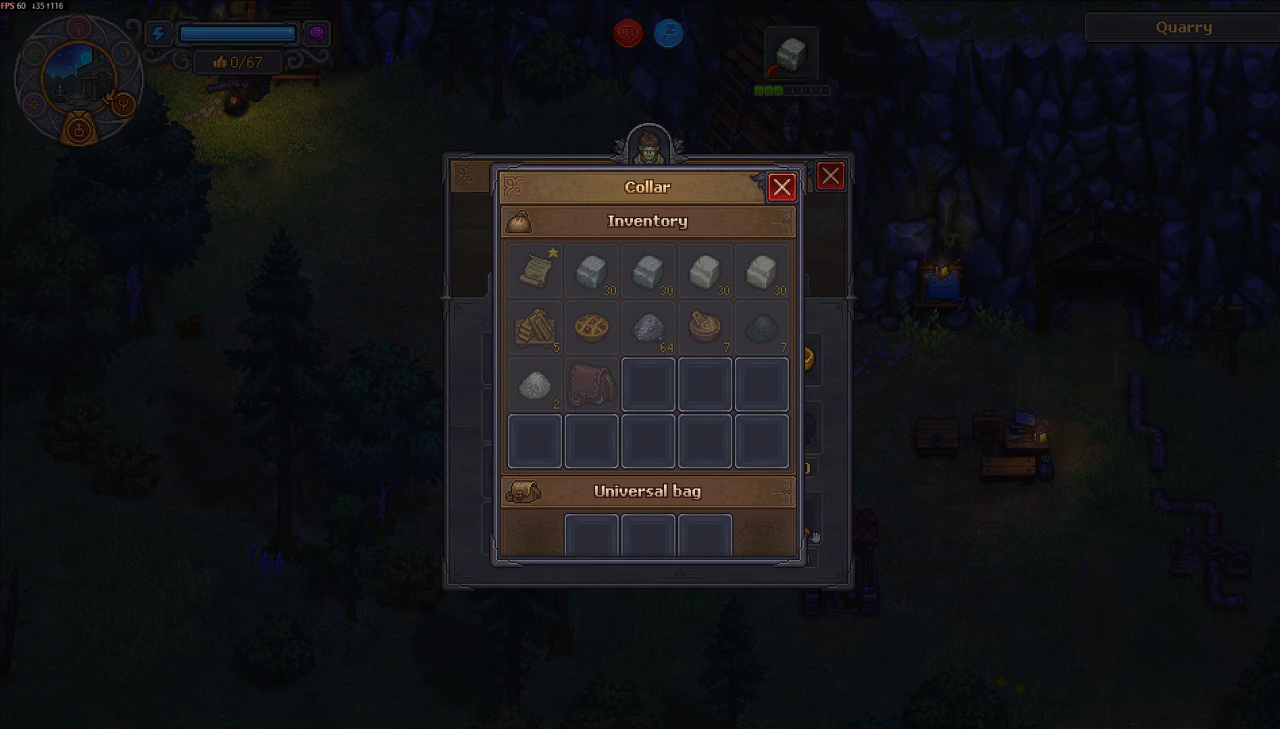
How to Make Zombies More Useful
To make a zombie perform tasks instead of sitting around, you need to level up its skills through work experience.
Leveling Up Zombie Skills
- Find the item you want the zombie to produce. In the example, the goal is to make a Wooden Fence II.
- Check the required stats for the item. The Wooden Fence II requires Hammer 3.
- Find a zombie and inspect it to check its current skills.
- In the example, the zombie had Hammer 1.
- Left-click the hand icon in the bottom-right corner.
- Give the zombie a tool that helps increase the required stat. In the example, a Pickaxe was given to increase the Hammer stat.
- Put the zombie to work so it can gain work experience and improve its skills.
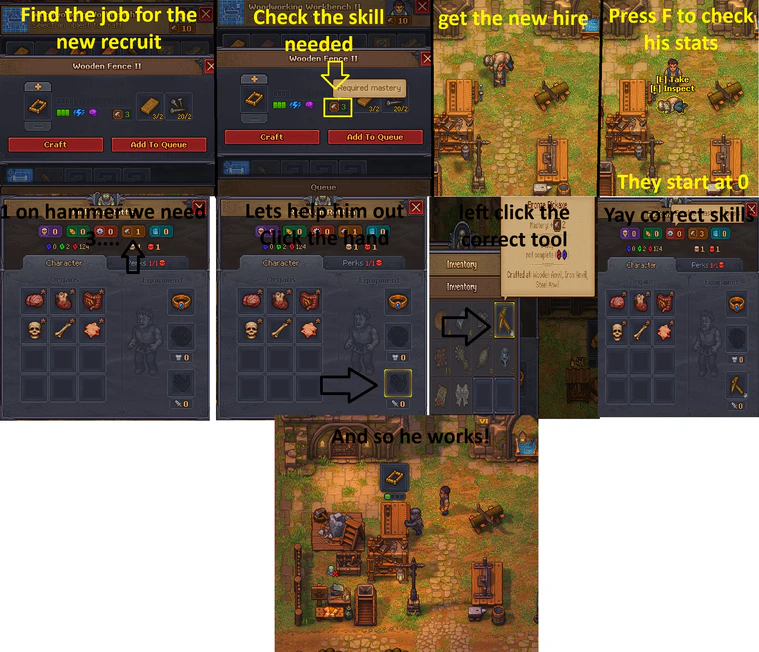
How to Keep Zombies Supplied
If a zombie has finished making items and is no longer doing anything, you can assign another zombie to handle supplies.
Using a Zombie Supplier Station
- Build a Zombie Supplier Station.
- Find a second zombie.
- Assign the second zombie to the Supplier Station.
- The supplier zombie will collect items made by other zombies.
- The supplier zombie will also retrieve anything they need from chests.
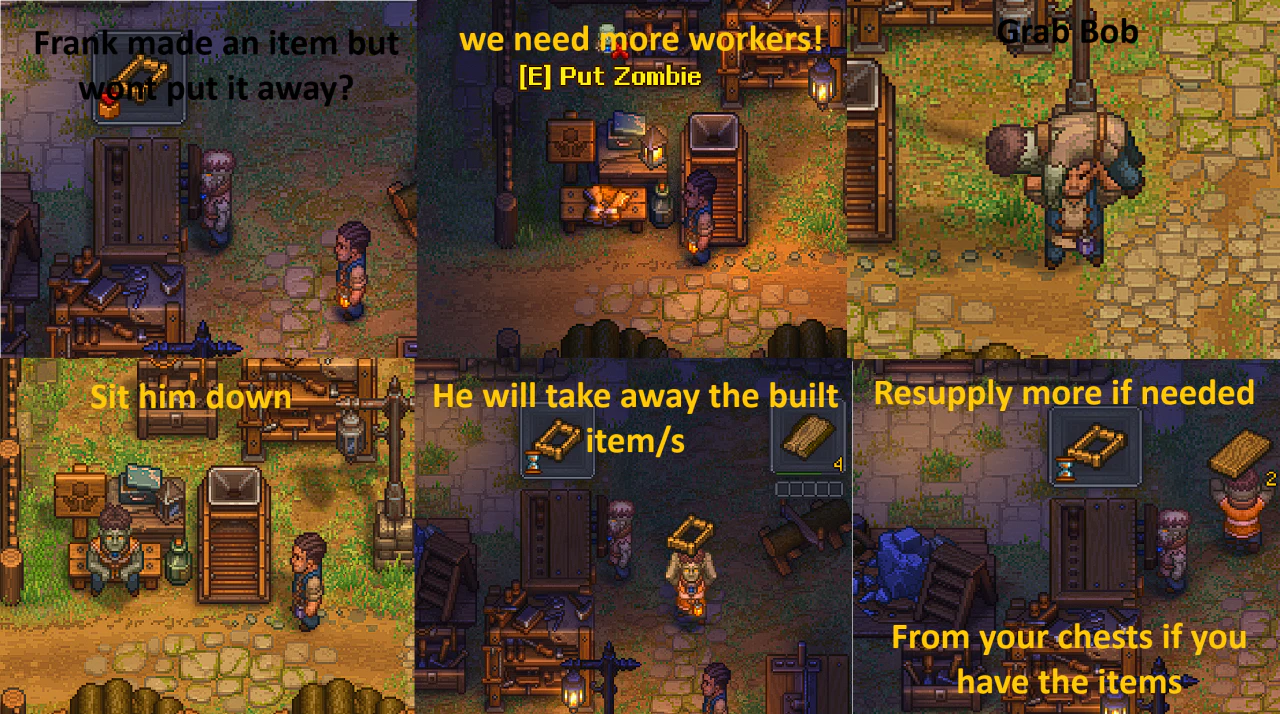
How to Perform an Autopsy
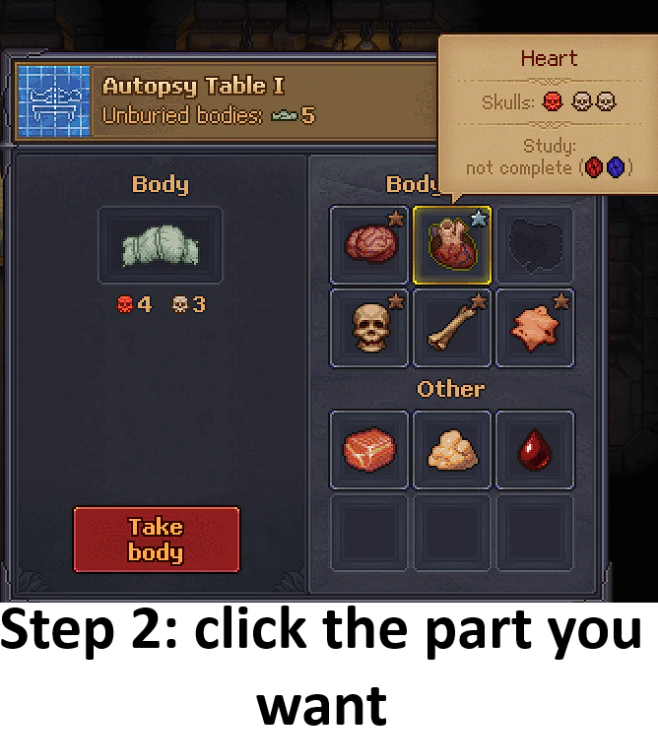
Extracting an Organ
- Find a body.
- Select the body part you want to extract, such as the heart.
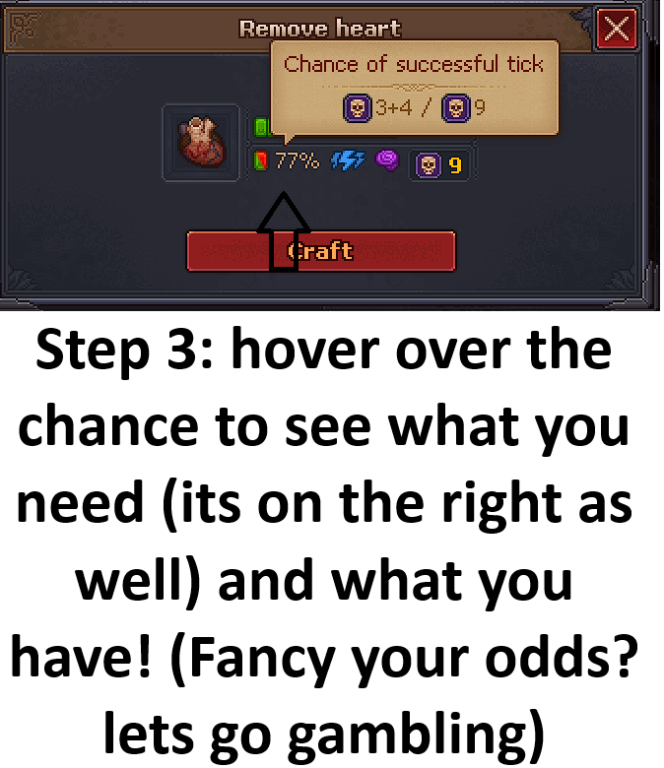
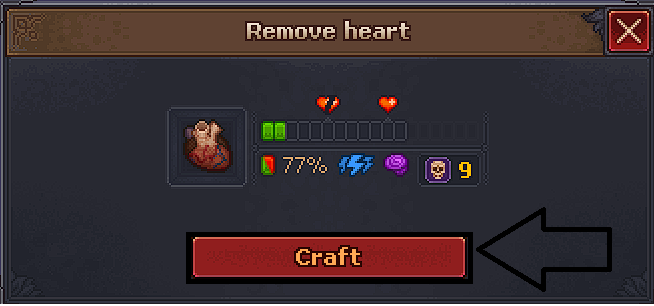
- Hover over the chance indicator to see:
- The requirements for extracting the selected part.
- The items you currently have.
- Your chance of successfully obtaining the item.
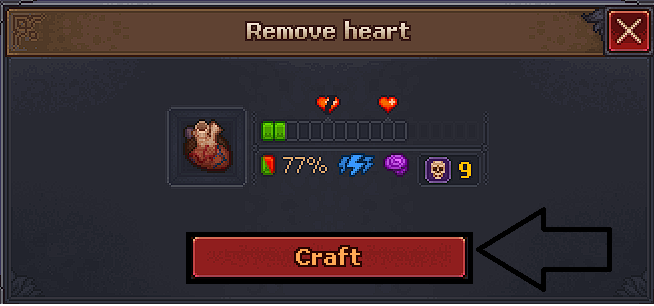
- Click
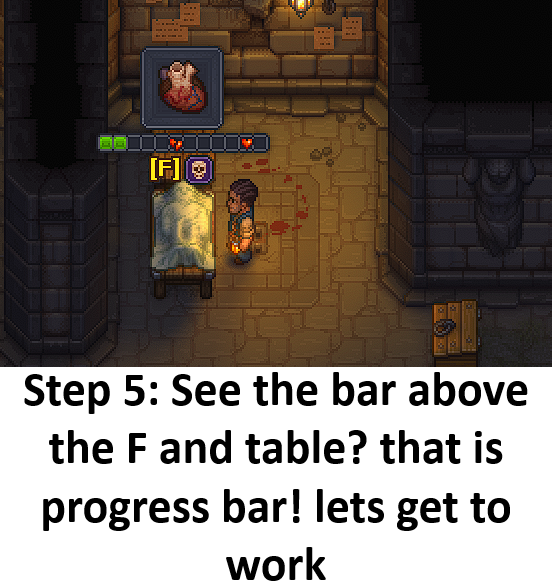
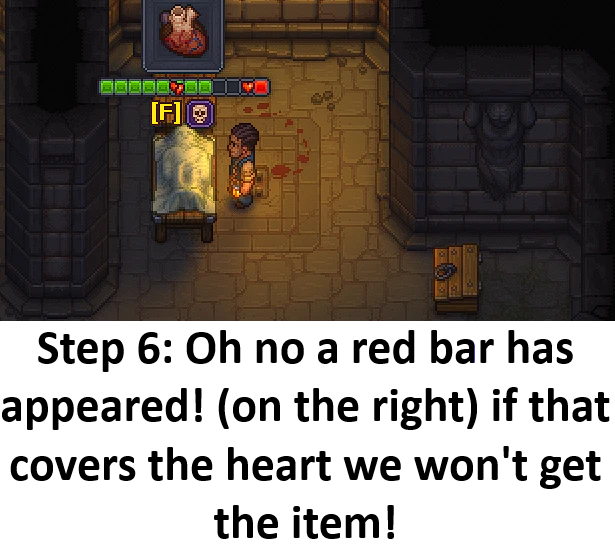
Craft. - A progress bar will appear above the
Fkey prompt and the table. Continue working on the autopsy. - Watch the red bar on the right side. If it covers the selected organ, you will not obtain the item.
- Continue working until the autopsy is complete and check whether you successfully obtained the item.
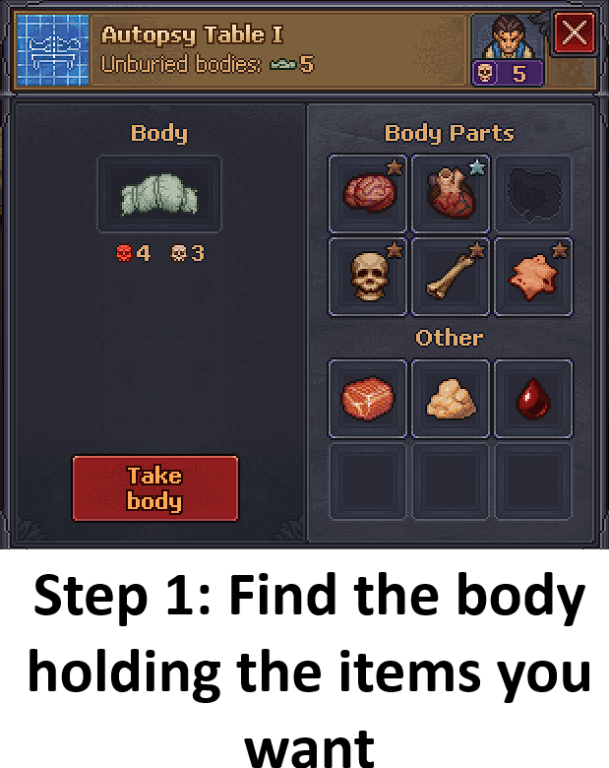
Improving Your Chances
Equip items that improve your performance during the autopsy. Both relevant items are made at the Jewellery Table.
How to Check the Success Chance with a Gamepad
When you select an organ, press X on a DS4 controller to view the success chance and related information.
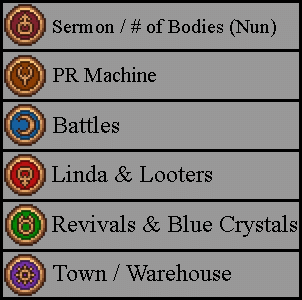
Small Days Image


Be the first to comment