
Ranger Gudie: PvE Rotation and Macro
This macro is designed to provide the best damage output, but macros can change frequently due to balance patches and skill changes, so the setup may need regular updates.
The macro was built on TW. With lower ping and adjustments made for the global version, a better setup may be found in the future.
Skill Chains
Once all the skills are unlocked, build the required skill chains for the macro.
The following skills are not included in the macro:
- Marking Shot
- Scattershot
- Suppressing
- Trap
- Mother Nature
Skills Used Manually
Marking Shot should not be spammed. Repeated use wastes animation time and currently causes issues with forced jump animations, which can potentially lead to death. Track the buff it provides manually and use Marking Shot as needed to maintain it.
Mother Nature is a survival skill. If it is included in the macro, it would not necessarily be available at the correct time when needed, so it should be used manually.
Suppressing is not used at all.
Trap is situational and is used for AoE or grouping enemies, so it should be activated manually when appropriate.
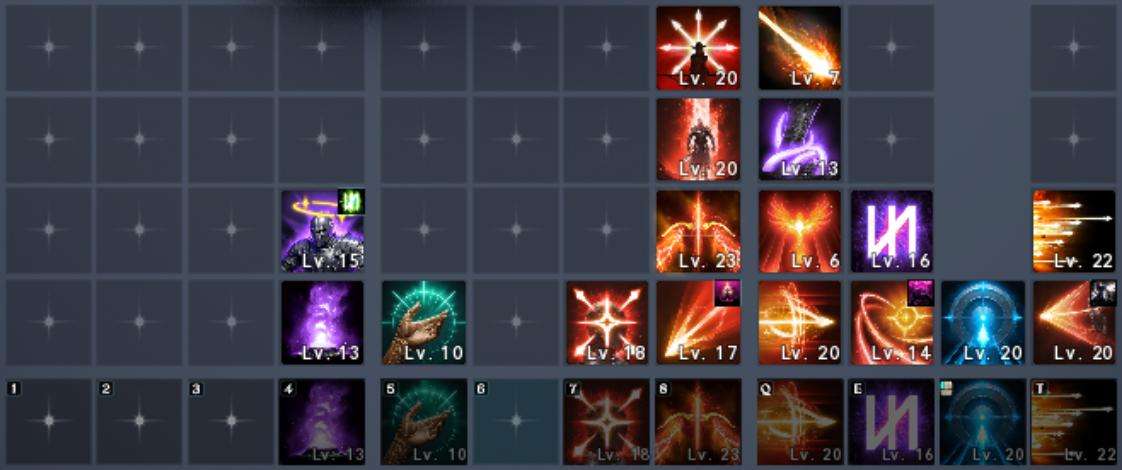
In-Game Macro
After creating the skill chains, register a key for the macro in the game settings and assign the skill chains to it.
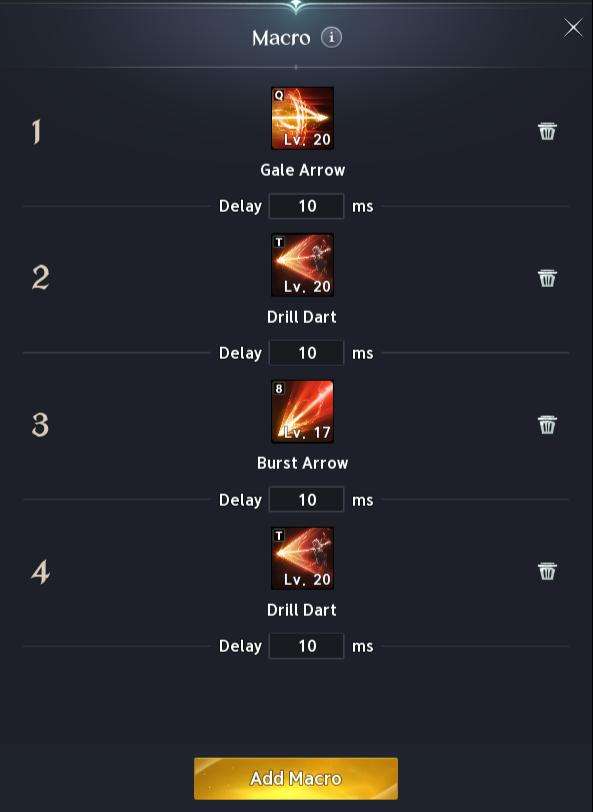
To find the macro key settings, go to:
Key Settings > General > Gameplay > Macro
Choose any key you prefer. The example uses the right mouse button as the macro key.
The in-game macro can then be combined with third-party macro software, including Razer and Logitech setups.
Razer Macro Setup
After setting up the in-game macro and skill chains, configure the Razer macro software to work with the in-game macro.
The macro should be configured to:
- Run while the assigned button is held down.
- Stop when the button is released.
The example setup uses:
LMB= SnipeRMB= In-game macro key7= Deadshot
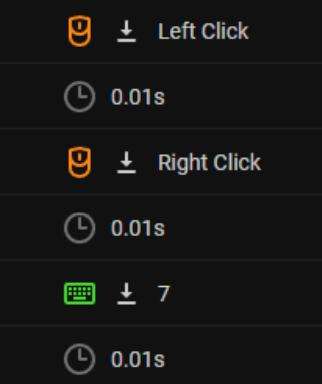
Logitech Macro Setup
The same general approach can be used with Logitech macro software. The macro should run while the assigned button is held down and stop when it is released.
The example setup uses:
[= Snipe / LMB== In-game macro key7= Deadshot
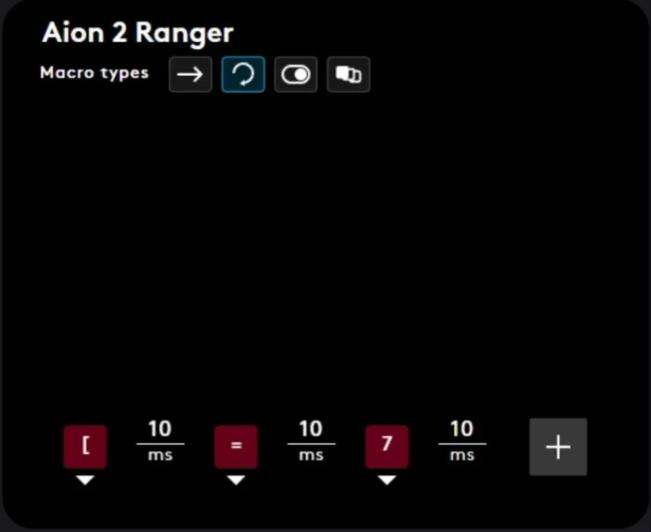
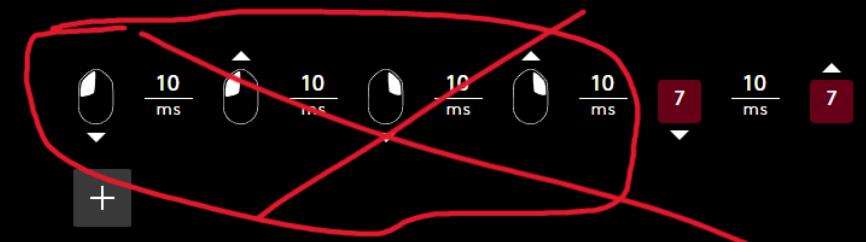
Do not use LMB or RMB as your Logitech keybinds. Aion 2 does not work correctly with these bindings, and the macro will not work. Rebind LMB and RMB to keyboard keys instead.
Frequently Asked Questions
Can I use macros from Day 1?
Yes, but macros are designed for the endgame rather than the early game or story mode.
At lower levels, you may experience clunky behavior and broken rotations until certain progression checkpoints are reached, particularly with regard to:
- Combat speed
- Cooldown reduction
- Skill traits
This is due to the way progression and combat work in Aion 2.
The macro was tested on the global network test after reaching level 16 and worked at that level.
Why do we need third-party software?
In theory, the in-game macro can be used by itself, but it will not use Stage 3 Deadshot. This results in a significant loss of damage.
If you want to play without third-party software, you will need to manually charge Deadshot to Stage 3 while holding LMB and the in-game macro key.
Is using this macro bannable?
It is not bannable as long as the macro cannot run automatically as a bot.
Is it suboptimal to run buffs inside the macro?
Not necessarily.
The rotation usually involves moving from boss to boss, so running buffs inside the macro is not considered a problem. Alternatively, buffs can be removed from the macro and activated manually for greater control.
Also notes that the -1 sec CD trait from Vaizels can later allow the relevant buff to remain active with 100% uptime at certain combat speeds and cooldown reduction values.
The same applies to Supporting Fire.
How do I use the macro for sustained open-world mob farming?
If you use the in-game macro key instead of the Razer key, the Deadshot and LMB keybinds will not be used, which can make farming faster.
If you are struggling with MP, you can either:
- Hold the in-game macro key and LMB together.
- Use a second Razer macro without the Deadshot keybind.
What should I do if the macro does not work?
If the macro does not work correctly, check that the setup has been configured correctly.
For Logitech users, make sure LMB and RMB have been rebound to keyboard keys, as Aion 2 does not work with those mouse-button bindings in the Logitech setup.
Showcase of working macro Razer + Ingame on Network Test – low LvL



Be the first to comment